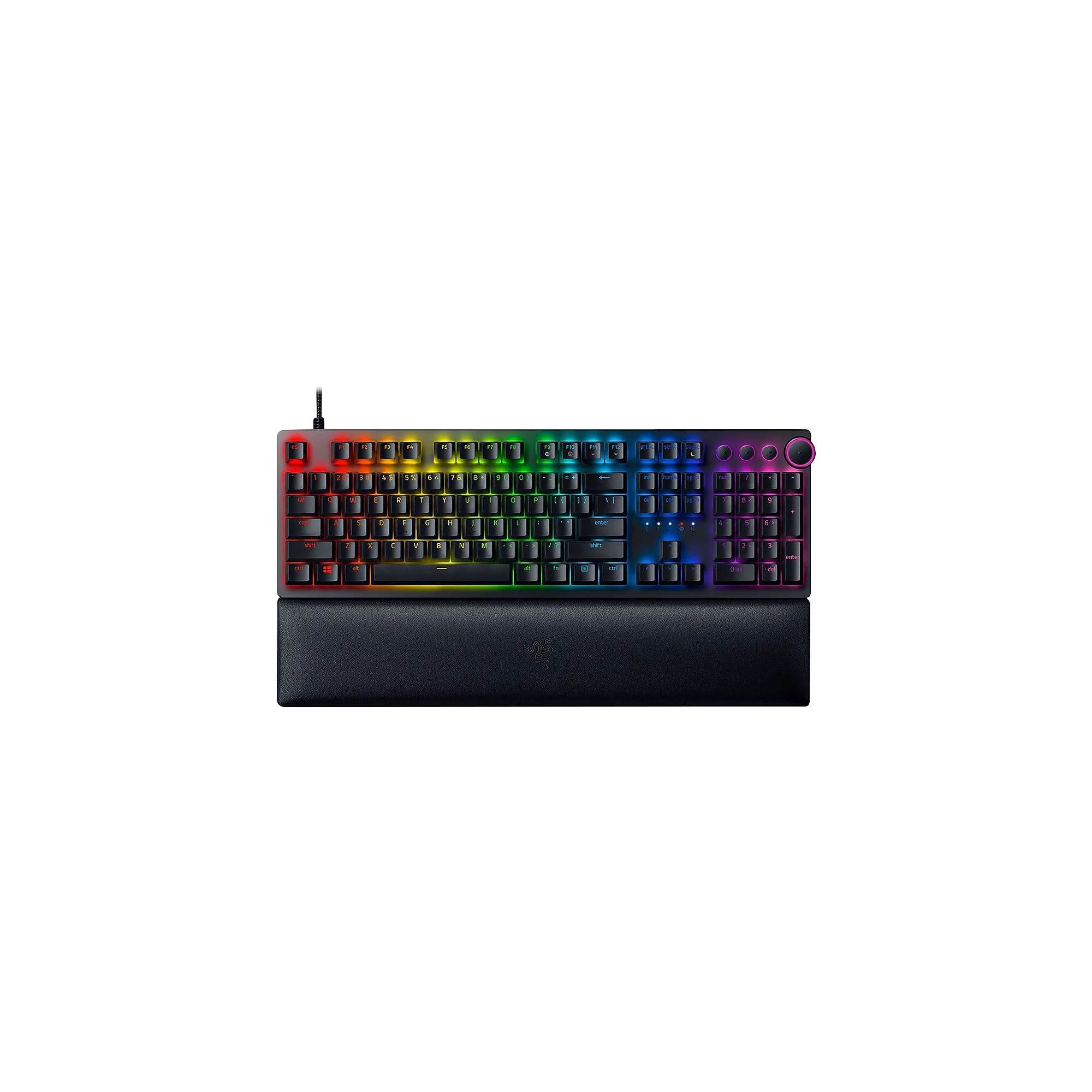
Razer makes three genuinely different gaming keyboards worth considering: the Blackwidow V4 Pro (premium mechanical), the Huntsman V2 (ergonomic hybrid), and the Ornata V3 (budget-friendly membrane). The choice depends on your budget and gameplay style, not brand loyalty.
Why Razer?
Razer was founded in 1998 and has built its reputation specifically around gaming peripherals—keyboards, mice, headsets—rather than spreading thin across consumer electronics. Their keyboards use proprietary switch technology (Razer Mechanical or Razer Hybrid switches depending on the model), which means replacement keycaps and support are Razer-exclusive. They're popular in competitive esports because of reliable actuation and consistent key travel, not marketing hype. That said, they're premium-priced; Corsair and SteelSeries often offer similar specs cheaper.
Top Picks
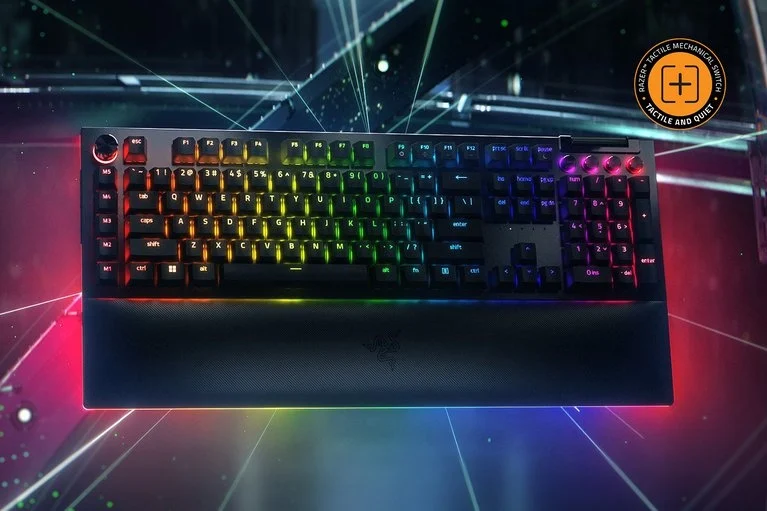
Razer Blackwidow V4 Pro Gaming Mechanical Keyboard — £182.49
Best for competitive players who want maximum control and don't mind the cost. Features Razer's Gen 3 Mechanical switches with 45g actuation force, full RGB per-key lighting, and a 2.4GHz wireless connection with a 1000Hz polling rate. The 87-key layout is tenkeyless (no numpad), which saves desk space. Build quality is solid—aluminium frame, double-shot ABS keycaps—but this price point puts it in direct competition with Corsair K95 Platinum and Steelseries Apex Pro, which offer similar or better feature sets.
Razer Huntsman V2 Ergonomic Gaming Keyboard — £142.49
Best for longer gaming sessions where wrist comfort matters. Hybrid design combines mechanical actuation (Razer Linear Optical switches, 45g) with a curved, ergonomic form factor and wrist rest included. Per-key RGB, wireless 2.4GHz, 1000Hz polling rate. The ergonomic shape is genuinely noticeable—your hands sit more naturally—making this the pick if you play for 4+ hours daily. The trade-off: slightly taller profile than traditional flat gaming keyboards, so it doesn't fit every desk aesthetic.
Razer Ornata V3 Ergonomic Gaming Keyboard — £83.99
Best budget option that still feels like a gaming keyboard. Uses Razer's Mecha-Membrane technology (essentially a membrane switch with mechanical feedback), mid-height ergonomic profile, per-key RGB, wired USB connection. No wireless, no premium materials, but £99 cheaper than the Blackwidow and £58 cheaper than the Huntsman. If you're on a tight budget or want to try Razer without major commitment, this is the entry point. Build quality is decent, not premium.
Quick Comparison
| Model | Price | Best For | Standout Feature | |-------|-------|----------|------------------| | Blackwidow V4 Pro | £182.49 | Competitive esports, maximum performance | True mechanical switches, tenkeyless layout, 1000Hz polling | | Huntsman V2 | £142.49 | Long gaming sessions, ergonomic comfort | Curved wrist rest, hybrid mechanical feel, wireless | | Ornata V3 | £83.99 | Budget gamers, desk space constrained | Mecha-Membrane technology, affordable entry point, full-size layout |
What to Look For
- Switch type matters for feel: Mechanical switches (Blackwidow V4 Pro) offer crisp, audible feedback with faster response; Mecha-Membrane (Ornata V3) feels softer and quieter. For competitive play, mechanical is measurably better. For casual gaming, either works.
- Wireless vs. wired: Both the Blackwidow V4 Pro and Huntsman V2 support wireless 2.4GHz at 1000Hz polling rate—that's low enough latency for esports. The Ornata V3 is wired only, which removes latency entirely but ties you to a cable. Wireless is convenience; wired is guaranteed reliability.
- Ergonomics affect fatigue: The Huntsman V2 and Ornata V3 include curved wrist rests; the Blackwidow V4 Pro is flat. If you play 3+ hours daily, the ergonomic models reduce wrist strain noticeably. If you play casually, flat design is fine.
- RGB customization: All three support per-key RGB lighting via Razer Synapse software. If you don't care about lighting, this adds £20–40 to the price unnecessarily—you're paying for aesthetics, not performance.
The Bottom Line
The Razer Ornata V3 at £83.99 is the best value if you're new to gaming keyboards or on a budget—it feels premium enough and includes Razer's ecosystem integration. If you play competitively or for 4+ hours daily, spend the extra £58–99 on the Huntsman V2 for comfort or Blackwidow V4 Pro for pure mechanical precision. All three are solid choices; none is genuinely bad, so let your budget and playstyle decide.
Frequently Asked Questions
Are Razer keyboards actually worth the price?
Razer keyboards are well-built and reliable, but they're priced at the premium end. A £83.99 Ornata V3 competes well with mid-range alternatives, but the £182.49 Blackwidow V4 Pro is outperformed or matched by cheaper Corsair and SteelSeries models with identical specs. You're partly paying for the Razer brand and ecosystem lock-in (proprietary keycaps, software integration). If you already own a Razer mouse or headset, the integration justifies it; if not, compare specs side-by-side with Corsair K60 or SteelSeries Apex before committing.
What's the difference between mechanical and mecha-membrane switches?
Mechanical switches (in the Blackwidow V4 Pro) have individual springs under each key and actuate faster—typically 1-2ms. Mecha-Membrane (in the Ornata V3) sits between mechanical and standard membrane, offering tactile feedback without the precision. For competitive gaming, mechanical's faster response matters; for casual play, mecha-membrane feels nearly identical. Mechanical is also louder and more durable (50+ million keystroke lifespan vs. 10-20 million for membrane).
Can you replace Razer keyboard keycaps?
Yes, but only with Razer-compatible keycaps, not third-party sets. This limits your customization options compared to keyboards using standard mechanical switches (MX-compatible). Razer keycaps are available but cost £30–60 per set and are harder to source than universal mechanical keycaps. If keycap customization matters to you, consider SteelSeries or Corsair instead.
Do Razer keyboards work with Mac or console gaming?
Razer keyboards work with Mac via Bluetooth (Blackwidow V4 Pro and Huntsman V2 support 2.4GHz wireless, not Bluetooth, so they need a USB receiver). The Ornata V3 is wired USB. Console compatibility varies: PlayStation and Xbox work with wired USB keyboards for text input, but won't recognize macro keys or RGB lighting. If you game on Mac or console primarily, check compatibility before buying; Razer software (Synapse) only runs on Windows and Mac, not console OS.