Which Logitech Gaming Keyboard Should You Buy? A Breakdown of Their Best Models
Logitech's gaming keyboard range offers genuine value across three distinct price tiers, each targeting different player budgets and preferences. Whether you need a budget-friendly entry point or a competition-grade compact board, Logitech delivers reliable mechanical switches, responsive firmware, and consistent build quality—no flagship markup required.
Why Logitech?
Founded in 1981, Logitech has spent four decades specialising in input devices, gaming peripherals, and wireless connectivity. They're particularly known for Lightspeed wireless technology—a proprietary 1ms latency connection that rivals wired performance—and their commitment to customisable RGB lighting across gaming-focused products. Logitech owns the G (gaming) brand, which operates independently from their consumer peripheral range, allowing them to iterate rapidly on mechanical switches, keycap materials (like dual-shot PBT), and compact form factors without diluting their main brand identity.
What sets them apart: Logitech doesn't chase every trend. Their keyboard range focuses on proven layouts (TKL and 60%), standard mechanical switch compatibility, and wireless reliability rather than chasing niche features. This restraint means fewer gimmicks and longer product longevity.
Top Picks
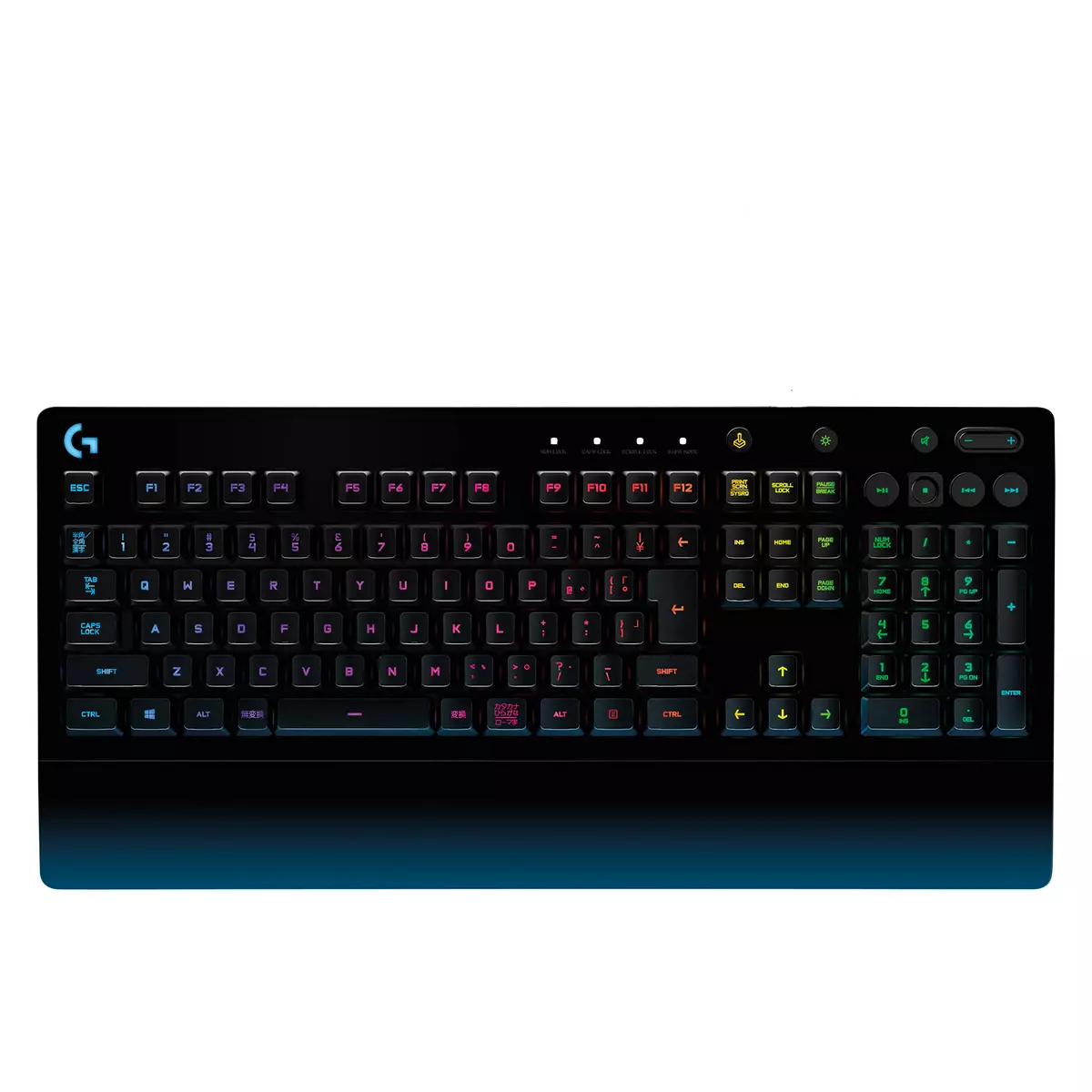
Logitech Prodigy G213 Wired Gaming Keyboard — £62.99
Best for budget-conscious gamers and office use. This is the entry point: a full-size membrane keyboard with dedicated macro keys and basic Lightsync RGB. It won't impress mechanical keyboard enthusiasts, but at £62.99, it delivers responsive gameplay, quiet typing, and genuine durability for casual to semi-competitive play. The wired connection eliminates any latency concerns, and the robust plastic frame handles desk collisions without complaint.
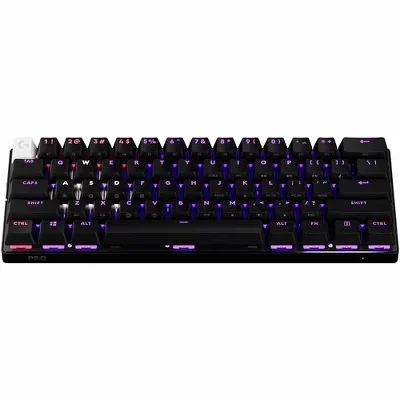
Logitech G Pro X 60 Lightspeed Wireless — £99.99
Best for compact desk spaces and esports players. At 60% size (40 fewer keys than full-size), this ultra-compact mechanical keyboard uses Lightspeed wireless, dual-shot PBT keycaps, and a hot-swap mechanism for custom switch experimentation. The 1ms latency matches wired performance, battery life reaches 240 hours, and the weightless typing experience suits both rapid-fire shooters and typing-heavy workflows. Ideal if your desk space is tight or you travel frequently.
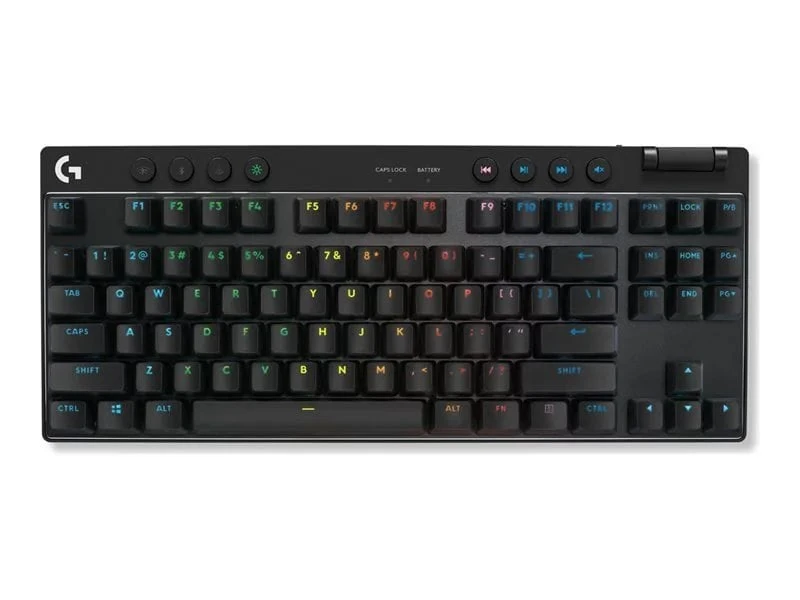
Logitech G515 Lightspeed TKL Wireless Mechanical — £129.99
Best for balanced performance and productivity. The TKL (tenkeyless) layout retains arrow keys and nav cluster while dropping the numpad—a sweet spot for gamers who also need desktop efficiency. Wireless Lightspeed connectivity, linear mechanical switches (smooth, no tactile bump), and full-key customisation via Logitech G Hub software make this a versatile all-rounder. At £129.99, it's the priciest option but justifies it with competition-grade build quality and switch options.
Quick Comparison
| Product | Price | Best For | Standout Feature | |---------|-------|----------|------------------| | G213 | £62.99 | Budget gamers, office work | Full-size layout, wired reliability | | G Pro X 60 | £99.99 | Compact spaces, esports | 60% ultra-portable, 240-hour battery | | G515 TKL | £129.99 | Balanced gamers, daily use | Wireless linear switches, nav keys included |
What to Look For
- Switch type matters: Logitech offers membrane (G213, quieter but less tactile), linear mechanical (G515, smooth keystrokes for speed), and hot-swap mechanical (G Pro X 60, swap switches without soldering). Choose based on whether you prioritise speed, comfort, or customisation.
- Wireless vs. wired: Logitech's Lightspeed wireless achieves 1ms latency, matching wired performance. Wired saves battery concerns but adds cable clutter; wireless suits mobile gamers and clean desks.
- Form factor: Full-size (G213) maximises keys but demands desk space. TKL (G515) balances keys and space. 60% (G Pro X 60) maximises portability but requires layer switching for functions. Measure your desk depth before choosing.
- Keycap material: Dual-shot PBT (G Pro X 60, G515) resists shine and lasts 2-3× longer than ABS plastic (G213). If you type 8+ hours daily, PBT is worth the upgrade.
The Bottom Line
For most gamers, the Logitech G515 TKL Wireless (£129.99) offers the best all-round value—wireless reliability, mechanical switches, and practical layout without compromise. If budget is tight, the G213 (£62.99) delivers solid performance for casual play. If space is limited or you travel, the G Pro X 60 (£99.99) is the standout compact choice. All three use Logitech's proven firmware ecosystem, so you're not locked into proprietary software complexity.
Frequently Asked Questions
Is Logitech good value for money?
Yes, Logitech's gaming keyboards offer strong value across all price points. The G213 at £62.99 is cheaper than most competing membrane boards with equivalent build quality. The wireless models (G515, G Pro X 60) compete directly with brands charging £40-60 premiums for identical Lightspeed latency. You're not paying for brand hype—you're paying for proven wireless tech and durable mechanics.
What's the difference between TKL and 60% keyboards?
TKL (tenkeyless) removes only the numpad, keeping arrow keys and navigation clusters—typically 87 keys total. A 60% keyboard removes the numpad, navigation, and function rows entirely, requiring layer switching for those functions—typically 61 keys total. TKL suits office work and everyday typing; 60% suits gamers who value portability and compact aesthetics over traditional key count.
Do Logitech wireless keyboards have input lag?
No. Logitech's Lightspeed wireless technology delivers 1ms latency, which is imperceptible to human reaction time and matches wired performance. Multiple esports teams use Logitech wireless keyboards competitively, confirming lag-free gameplay. Wired connections are marginally more stable in high-interference environments, but for 99% of home setups, Lightspeed is lag-free.
Are Logitech PBT keycaps worth the extra cost?
Yes, if you type frequently. Dual-shot PBT keycaps (used on G515 and G Pro X 60) resist shine, last 2-3× longer than ABS plastic, and feel slightly grittier. If you use your keyboard 4+ hours daily, PBT pays for itself through longevity. For casual 1-2 hour users, the difference is negligible.